Sell nbn under your own brand
Your storefront and customer portal, with VPN, private networks and domains, live in under an hour.
- Your name and prices
- Hosted storefront and portal
- Legal documents filled in
- Orders straight to nbn
How it works
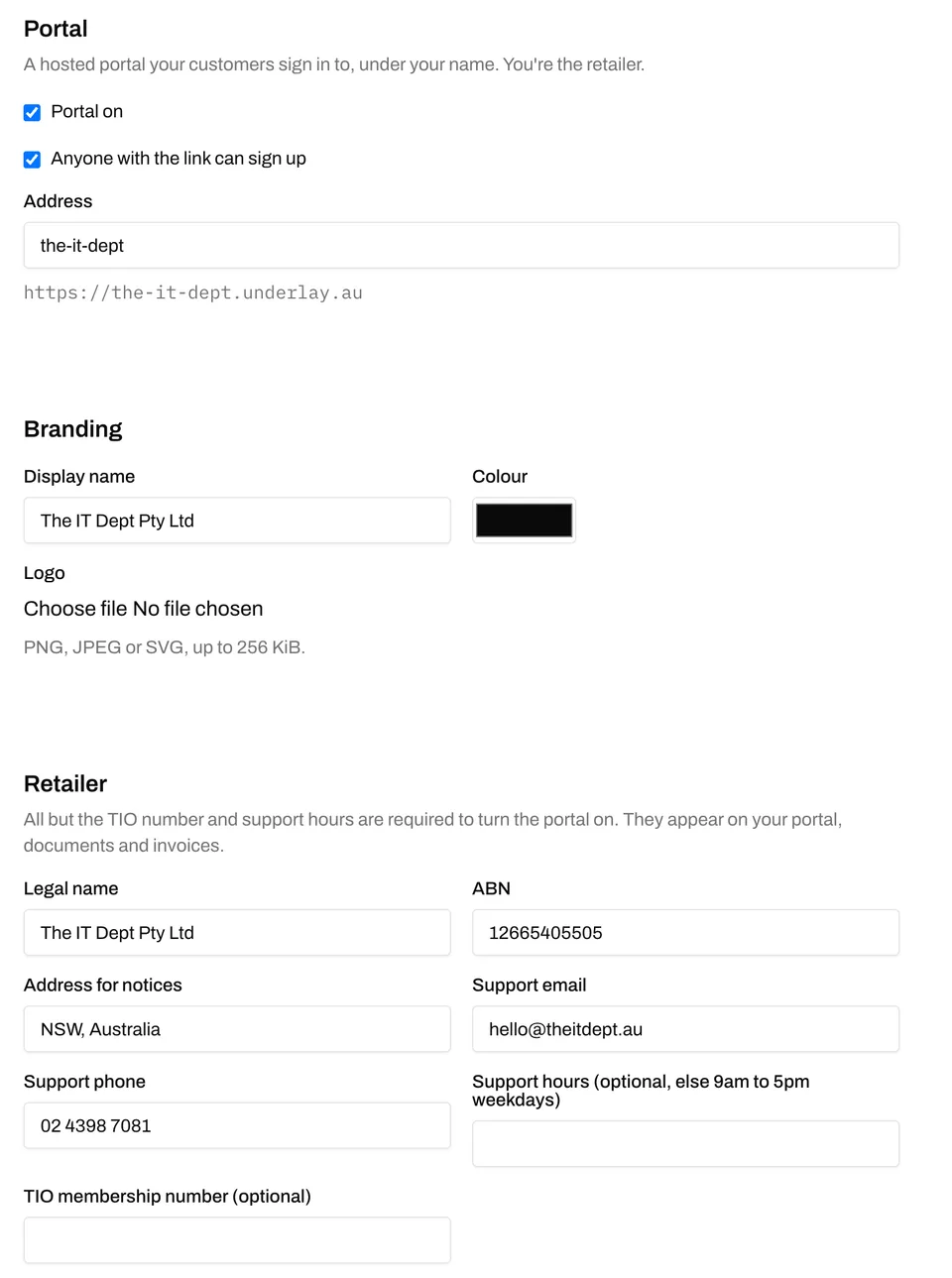
- 1Switch on your hosted portal and choose its address.
- 2Add your name, logo, colours and details as the retailer.
- 3Set a monthly price, inc GST, for each plan you sell.
- 4Send the link: customers check their address and order.
Your storefront and portal
Your storefront
Your name, plans and prices, ABN and support details, and every compliance document in the footer.
Address check and order
Your customer checks their address and sees the plans available there, at your prices. We email them to confirm, then the order goes to nbn.
Their own portal
Every service from order placed to connected, with plan changes, the static IPv4 switch and cancellation.
Tests before support calls
Your customers run nbn's own tests themselves. Every answered question is a support call you don't take.
Usage and status
Whether it's up, this month's usage, and the last 30 days and 24 hours.
Your setup
Switch it on, add your brand and retailer details, and price each plan.
More than internet, under your brand
At no charge, and not on your wholesale bill.
VPN devices
A phone or laptop scans a code with the WireGuard app and reaches its own router from anywhere, even on shared IPv4.
Private networks
Your customer's sites, LANs and devices reach each other privately, in a network they order themselves.
Domains over HTTPS
Their own domain on a web app on their network, served over HTTPS from our edges. We look after the certificate.
Your names on it
Device invites open on your portal's address, with no "powered by Underlay". Set your own VPN and domain hostnames and every config shows them.
Who does what
You
- Sell, and set your prices
- Own the customer relationship
- First-line support
- Your retail obligations: CSP, TIO and the consumer codes
Underlay
- The storefront and customer portal, hosted
- Default legal documents and a CIS per plan, filled in with your details
- Ordering, provisioning and the network
- VPN, private networks and HTTPS domains in your portal, under your brand, at no charge
- nbn escalations
Questions
Whose name is on it?
Yours. You're the retailer: your name, ABN and support details are on the storefront, the documents and the invoices. In the portal, Underlay appears once, in small print: "powered by Underlay". VPN configs and domain DNS records show our hostnames until you set your own (such as syd.vpn.yourbrand.com.au), and emails are sent from our notifications address under your name.
Do we need our own legal documents?
No. Customer terms, privacy, complaints handling with TIO escalation, financial hardship, domestic, family and sexual violence, and a Critical Information Summary per plan are provided by default with your details filled in. Link your own to replace any of them.
Do we need to be a carriage service provider?
Yes. Selling nbn to the public under your own brand makes you one, with obligations including TIO membership and the consumer codes. Those stay with you whichever wholesaler you use.
What can our customers do themselves?
Check their address, order, follow the order to connection, change plan, turn a public IP on or off, set reverse DNS for their own addresses, run nbn tests, add VPN devices, order private networks and move their services into them, point their own domains at web apps on their network, see their usage, update their details, cancel and see their invoices.
Does the VPN carry our brand?
Yes. When your customer invites someone to set up a device on their network, the invite opens on your portal's address with your name, logo and support details, without even the small "powered by Underlay" note. Set your own VPN and domain hostnames and every device config and DNS instruction shows them.
What do VPN, private networks and domains cost?
Nothing. They're free for any customer with an active internet service, and they're not on your wholesale bill. Whether you charge your customers for them is up to you.
How does billing work?
We bill you wholesale every month, and you invoice your customers your way.
Can we use our own systems instead?
Yes. Order and manage the same services, networks, devices and domains through the Business portal or the API, and run your own storefront. A device invite can come back to you as a token, so the setup page is on your own site.
Enquire about your own brand
Tell us about your customers and when you'd like to start. We set up your account; you switch the portal on.