Reseller nbn under your own brand, live in under an hour
If you're an MSP or IT business, your clients already ask you about their internet. Until now there have been three answers, and I don't like any of them.
Refer them to a telco. Easy, but the telco owns the relationship, the bill and the fault, and you've handed a competitor your client.
White-label someone's platform. Quick, but it's usually someone else's portal with your logo pasted on, someone else's terms, and very little control over the network underneath.
Build it yourself. A storefront, address checks, ordering, billing, legal documents, a customer portal, line testing. That's months of work before your first service.
There's now a fourth. We run the whole storefront and portal for you, under your name.
What your customers see
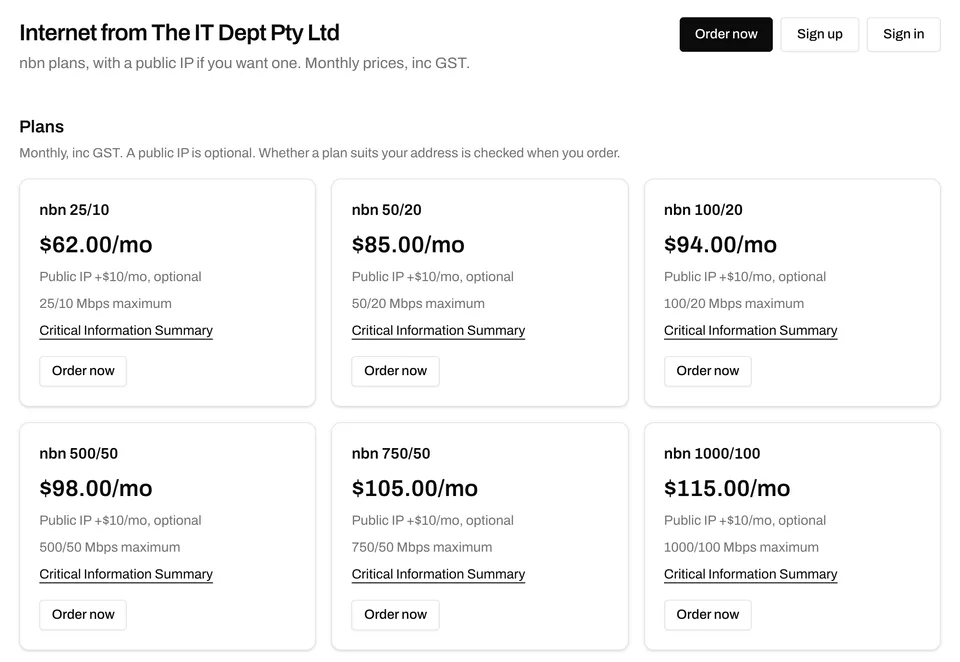
That's a live storefront, not a mock-up. It's The IT Dept's, running on our network at the-it-dept.underlay.au. Your customers see your name, your plans at your prices, your ABN and your support details. Underlay appears once, in small print: "powered by Underlay".
Your customer checks their address, sees the plans available there at your prices, and orders:
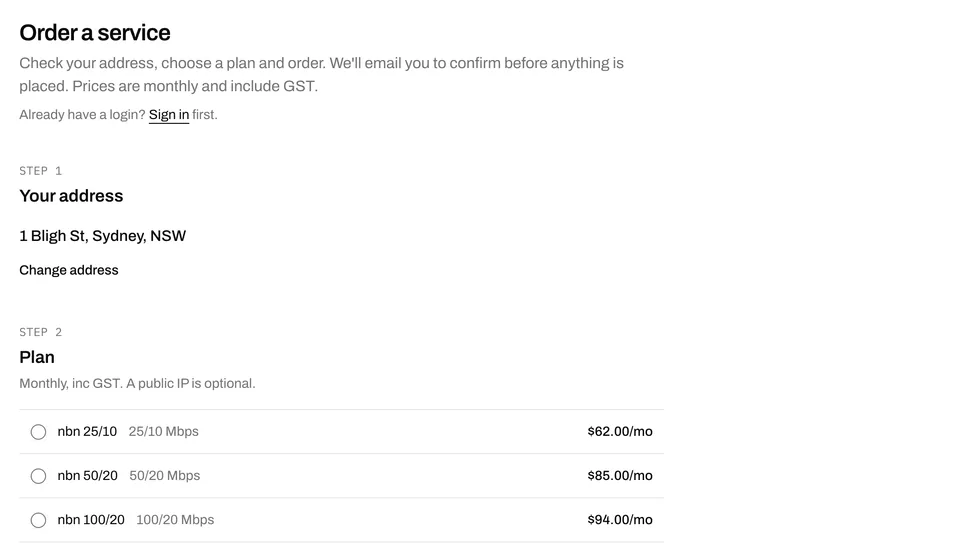
We email them to confirm, and the order goes straight to nbn through our wholesale access provider. There's no approval queue and nothing for you to re-key.
What they get once they're connected
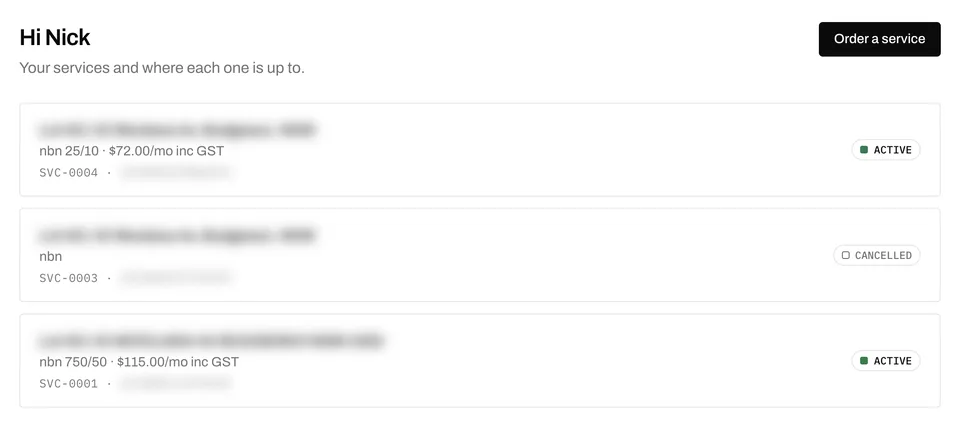
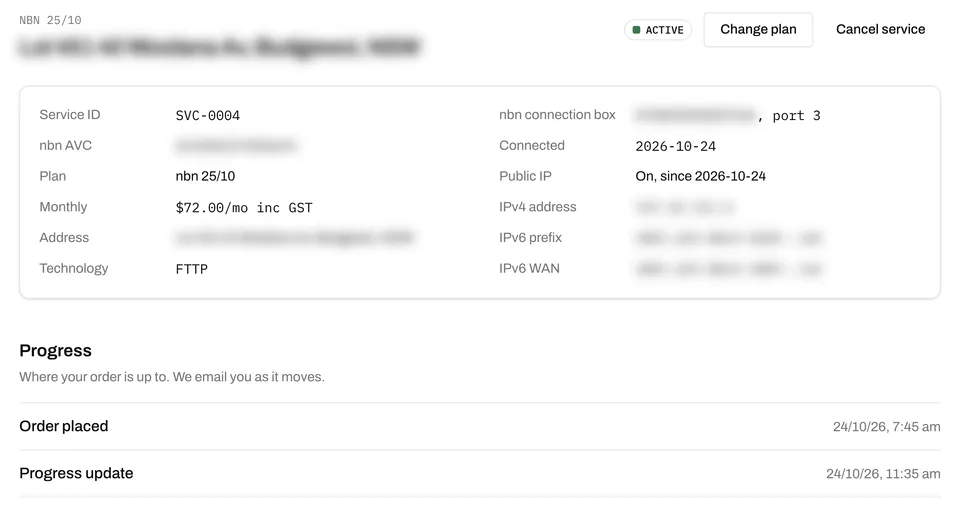
These are from my own account on The IT Dept's portal: real services on my own line, one of them ordered this morning. Address and identifiers are blurred.
Your customer signs in and sees every service, and where each one is up to:
Each service has its details, its public IP and addressing, and the order's progress from placed to connected:
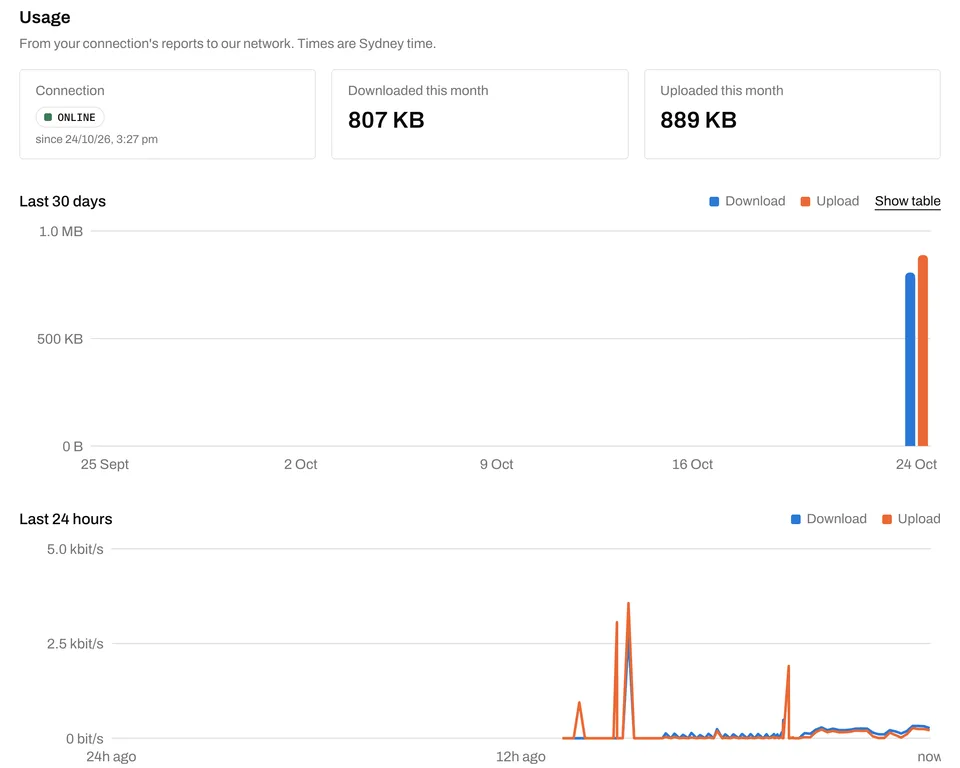
They can see whether their connection is up, what they've used this month, and the last 30 days and 24 hours, straight from their connection's reports to our network:
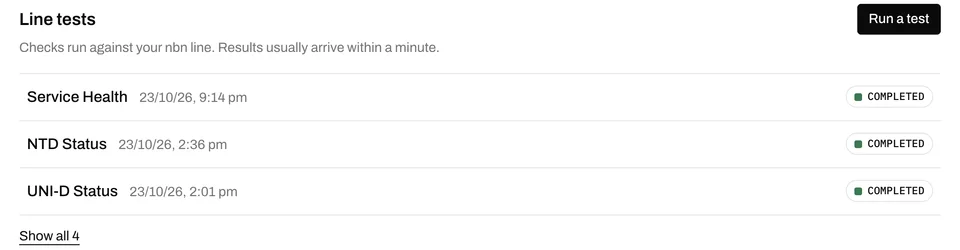
And when something isn't right, they can run nbn's own line tests themselves before they ever call you:
From the same portal they can change plan, turn a public IP on or off, update their details, cancel, and see their invoices. Every one of those is a support call you don't take.
What you set up
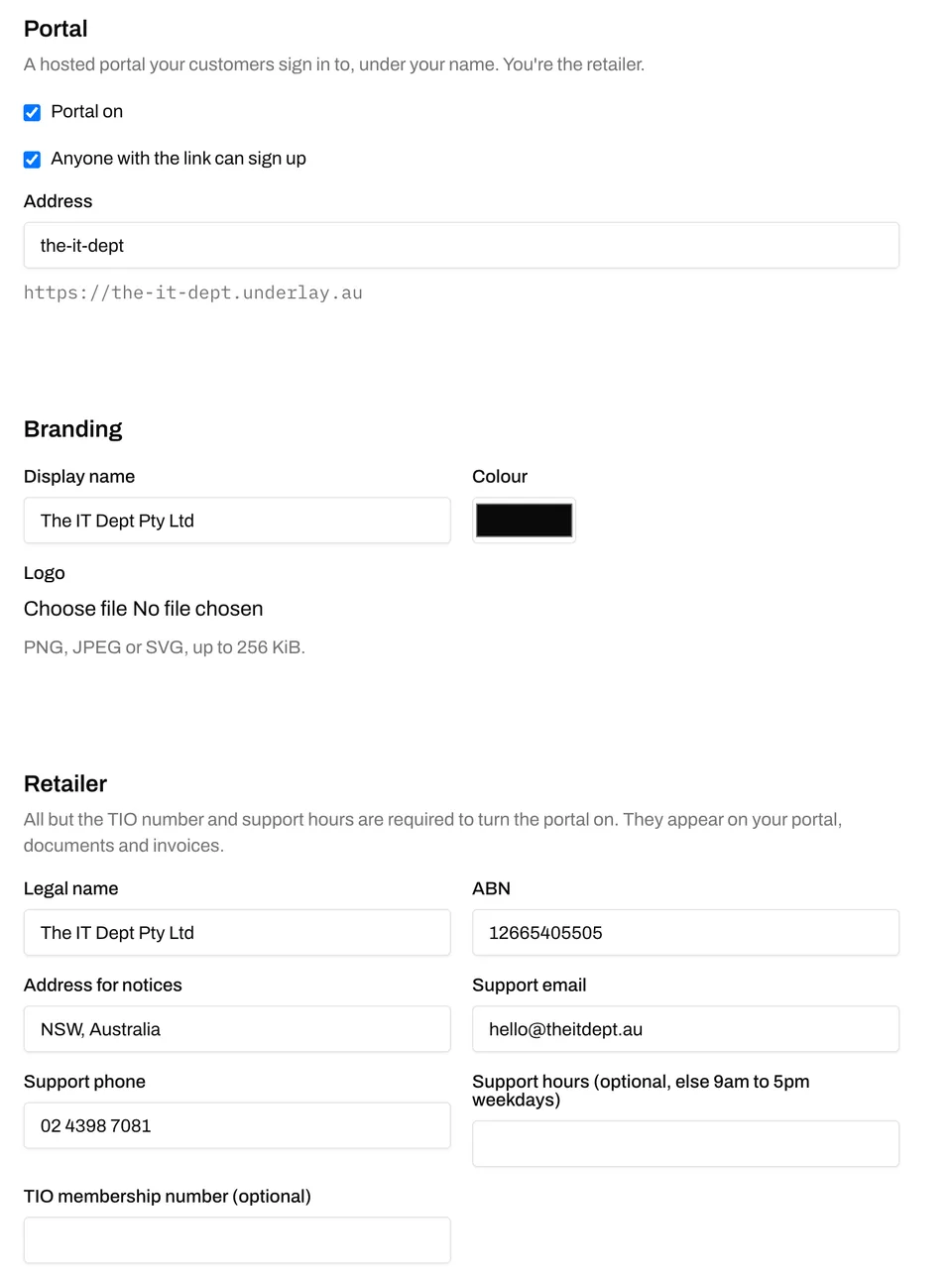
You're the retailer, so you give us your legal name, ABN, address for notices and support contacts. They go on your storefront, your documents and your invoices. Add your colours and logo.
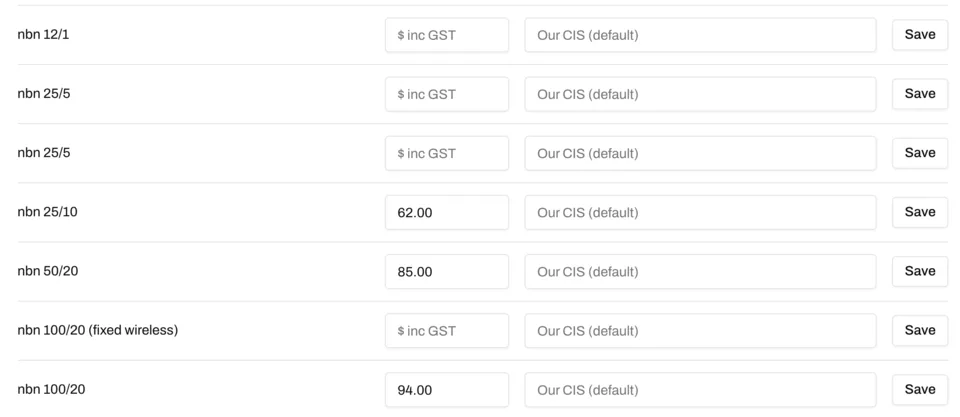
Then set what your customers pay for each plan. A plan you don't price isn't offered, and the difference between your price and ours is yours.
The paperwork comes with it
Selling nbn to the public comes with documents, and every one of them is there by default, filled in with your details:
- customer terms
- privacy policy
- complaints handling, with escalation to the TIO
- financial hardship
- domestic, family and sexual violence
- a Critical Information Summary for every plan
Want your own? Link to it, and it replaces ours. When someone signs up, we record which versions they accepted and when.
Who does what
You: sell, set your prices, own the customer relationship, and handle first-line support. Your obligations as a retail provider are yours: carriage service provider, TIO membership, the consumer codes. If you're new to those, I've written about what starting an ISP actually takes.
Us: the storefront, the portal, ordering, provisioning, the network, nbn escalations and the engineering behind it. Your customers' line tests are nbn's own, and when a fault needs us, an engineer picks it up.
Billing: today, and what's next
Today, we bill you wholesale every month and you invoice your customers your way.
Next, we're integrating with Xero, MYOB and others, so your customers' invoices go out from your own accounting system, under your name, raised from the services and prices in the portal. Then we'll collect the payments and remit your margin back to you. You'll sell, support and clip the ticket. We'll do the rest.
Under an hour
Once your account is set up, launching is a form, not a project:
- Switch the portal on and pick your address.
- Add your branding and your retailer details.
- Set a price for each plan you want to sell.
- Send your clients the link.
That's under an hour, and most of it is deciding on your prices. There's no minimum number of services, no Underlay setup fee, and no portal to build or host.
It's another simple way to start, alongside taking Layer 3 internet through our API into your own systems, or a Layer 2 handoff into your own network when you're ready.
The Your own brand page has the summary. If you'd like a storefront of your own, tell us about your business and we'll set up the account.